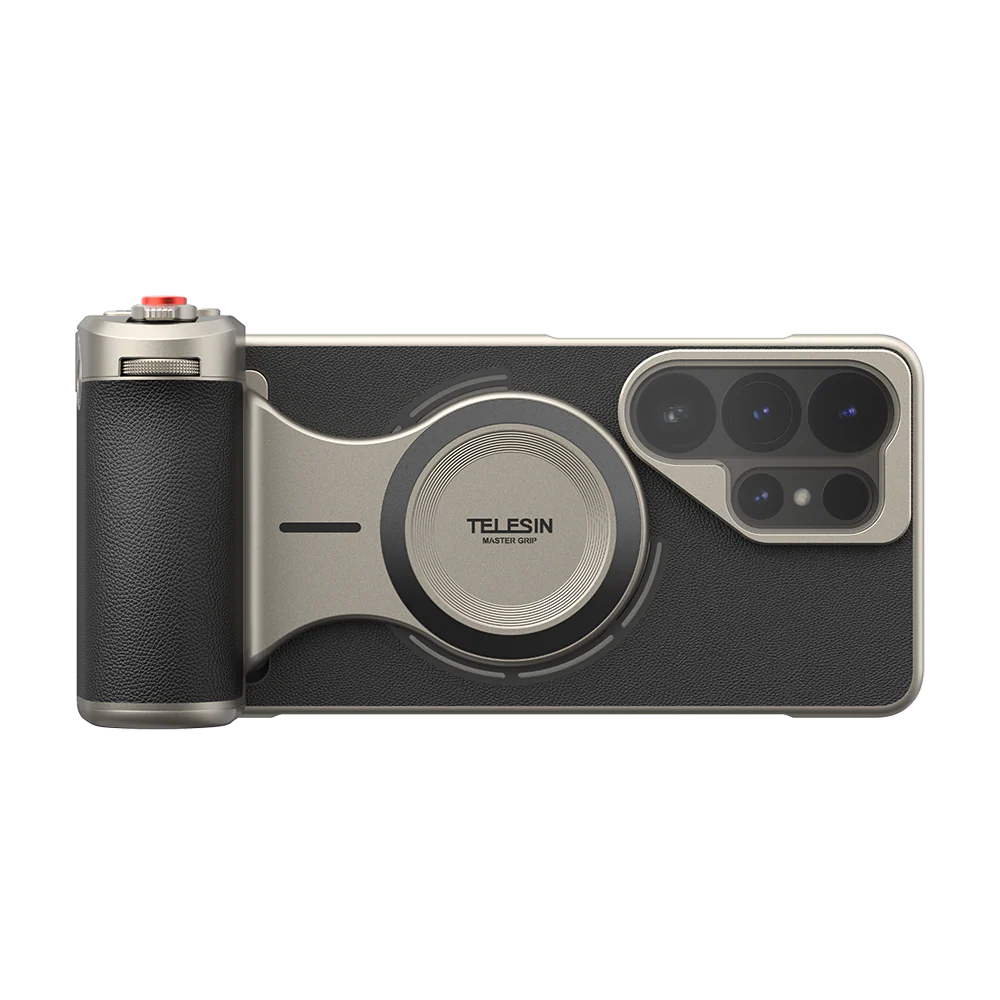
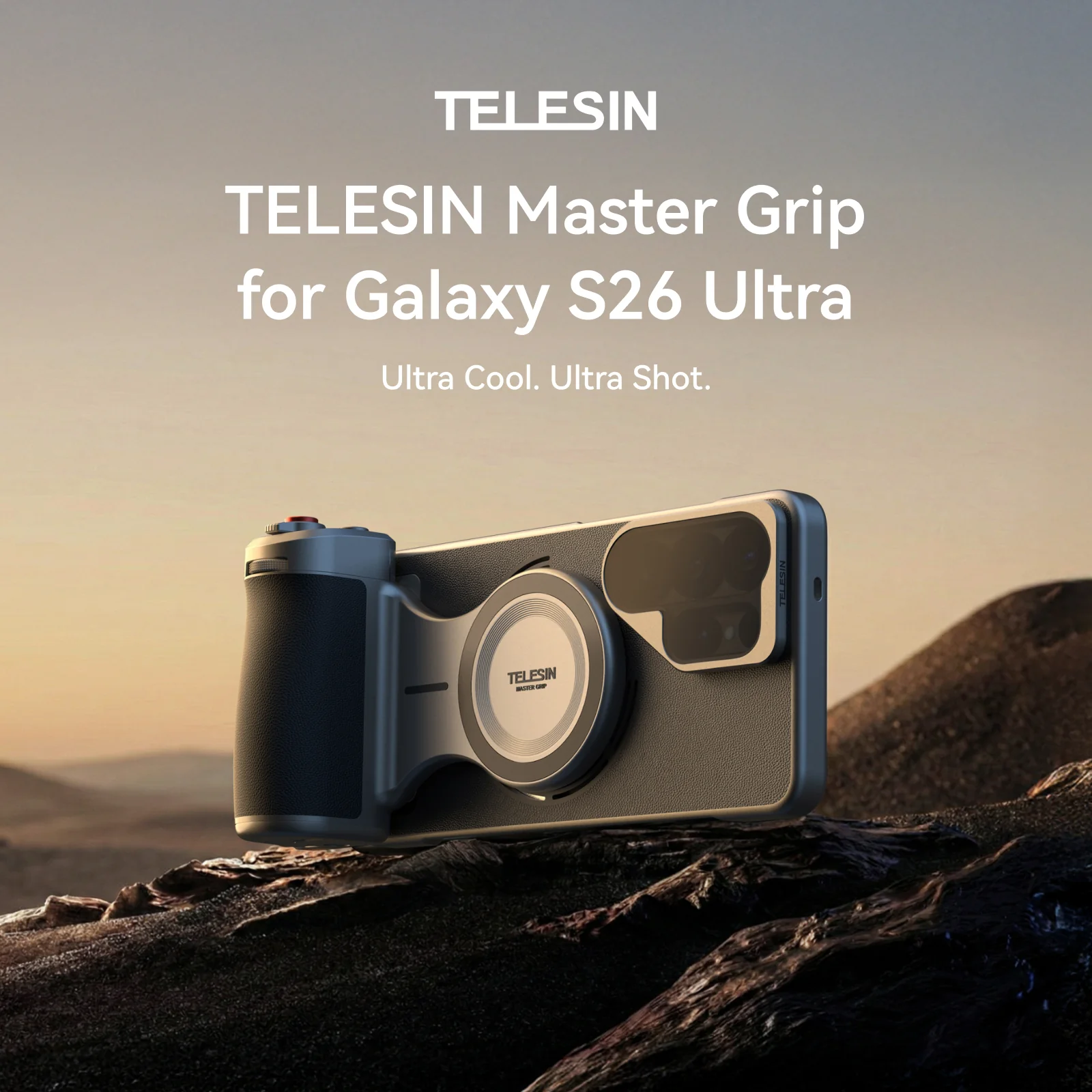
TELESIN Master Grip Kit for Galaxy S26 Ultra
TELESIN Master Grip for Galaxy S26 Ultra – Photography Camera Grip Kit with AI Filters & Fill Light
Ultra Specs, Ultra Creation
Turn your Galaxy S26 Ultra into a pro-feel camera.
TELESIN magsafe phone grip combines hardware–software fusion, AI film filters and tactile controls so creators can shoot more stable, more cinematic photos and videos – without switching to a heavy camera.


Why Your Galaxy S26 Ultra Still Needs a Photography Grip
Galaxy S26 Ultra already has a powerful camera system. But in real shooting, creators still face a few issues:
- The bare phone is slippery and unbalanced for long handheld sessions.
- Exposure and color tweaks hide in touch menus, slowing you down.
- Native color can look too digital or flat when you want film-like tones.
- Shooting vlogs or longer clips makes your hand and fingers fatigue quickly.
Master Grip Kit is built for S26 Ultra users who treat their phone as a real camera and want:
- More stability for handheld photos and video
- Faster control over exposure, filters and modes
- Consistent style straight out of camera
Hardware–Software Fusion Redefines S26 Ultra Imaging
Reef Color App x Master Grip
Hardware–Software Fusion Redefines S26 Imaging
Reef Color App bridges the stylistic gaps of the native camera with 8 Pro-grade filters and precision parametric controls. It links directly with the grip’s dial and buttons to unlock hardware potential via dynamic OTA tuning.
Instead of diving through menus:
- Use the dial to fine-tune exposure or filter strength in real time.
- Use customizable buttons to switch modes, filters or parameters instantly.
- Let dynamic OTA updates refine algorithms over time for Galaxy S26 Ultra.
The result is a joined-up imaging system: S26 Ultra hardware, Master Grip controls and Reef Color App working together to give you a recognizable look and smoother workflow.
Customizable Buttons Loved by Pros
Customizable Button – Beloved by Pros
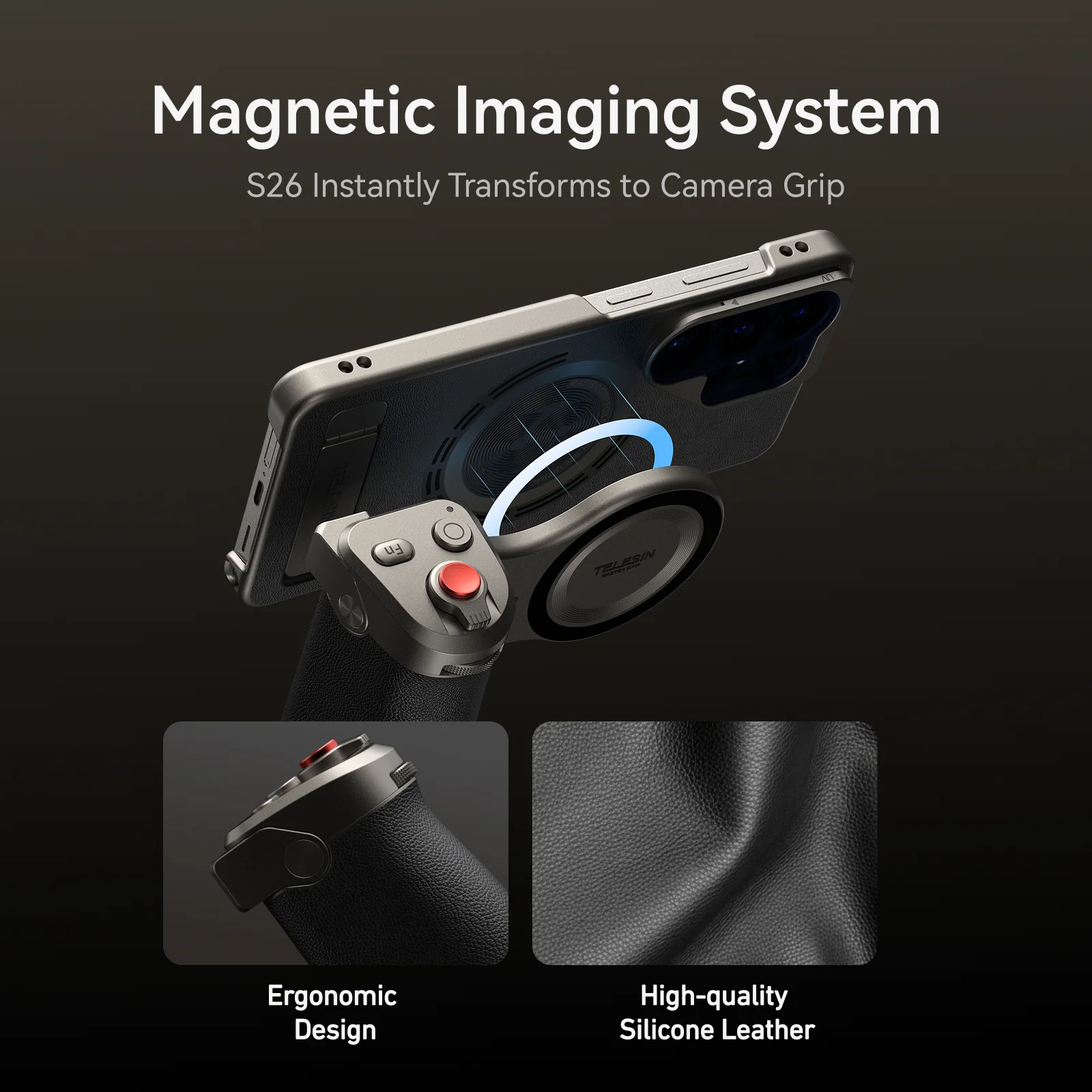
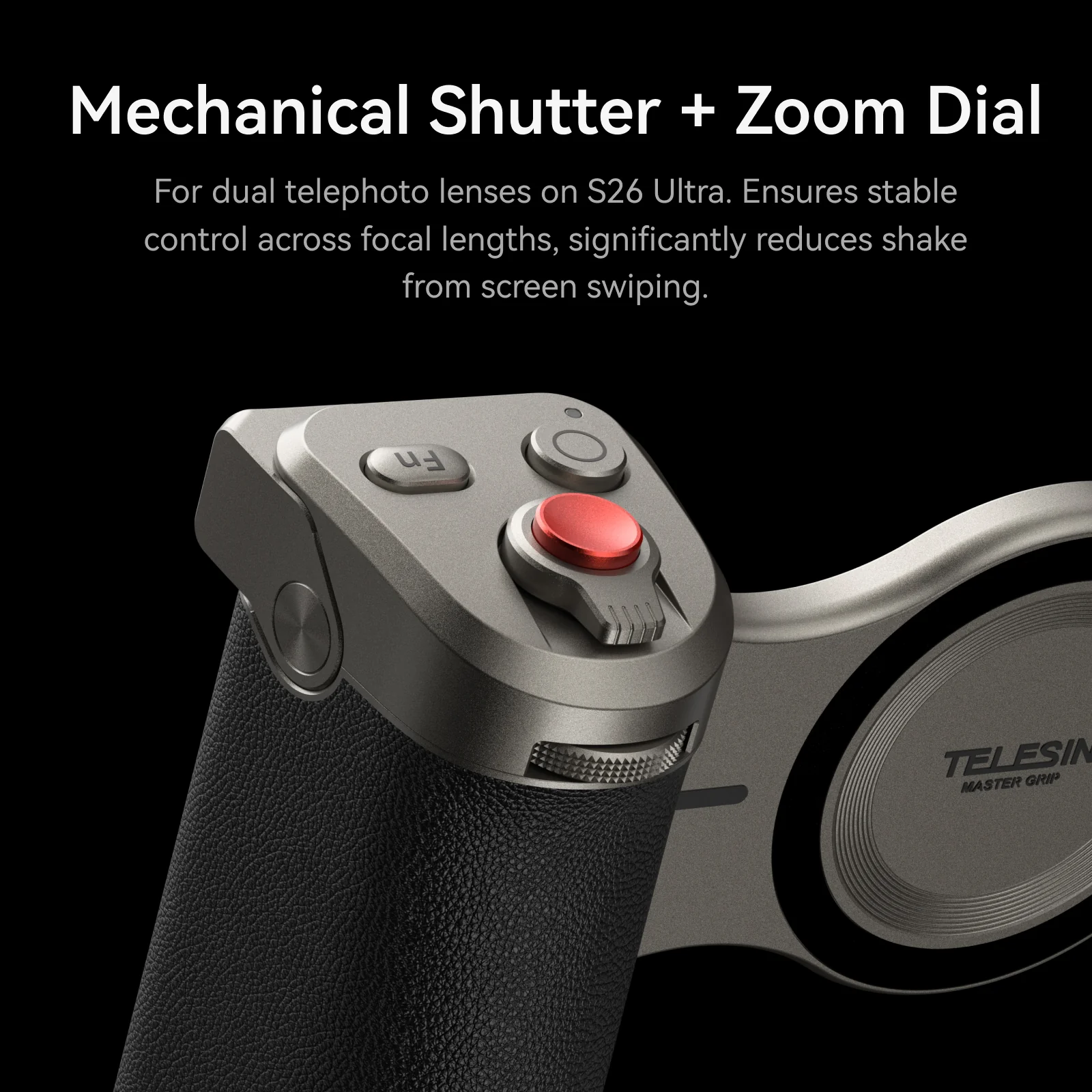
An app-customizable Fn key and a precision control dial let you build your own pro workflow.
Bind any parameter to the dial and button, including:
- Exposure compensation
- Filter selection
- Filter effect intensity
- Shooting mode
- ISO
- Shutter speed
Set your layout once inside Reef Color App, then:
- Turn the dial to ride exposure as light changes around you.
- Tap the Fn key to flip between filters, modes or parameters – without taking your eyes off the scene.
It feels like a compact camera-control layout built around your Galaxy S26 Ultra.
AI Master Filters – Film Tones for Everyone
AI Master Filters – Film Tones for Everyone
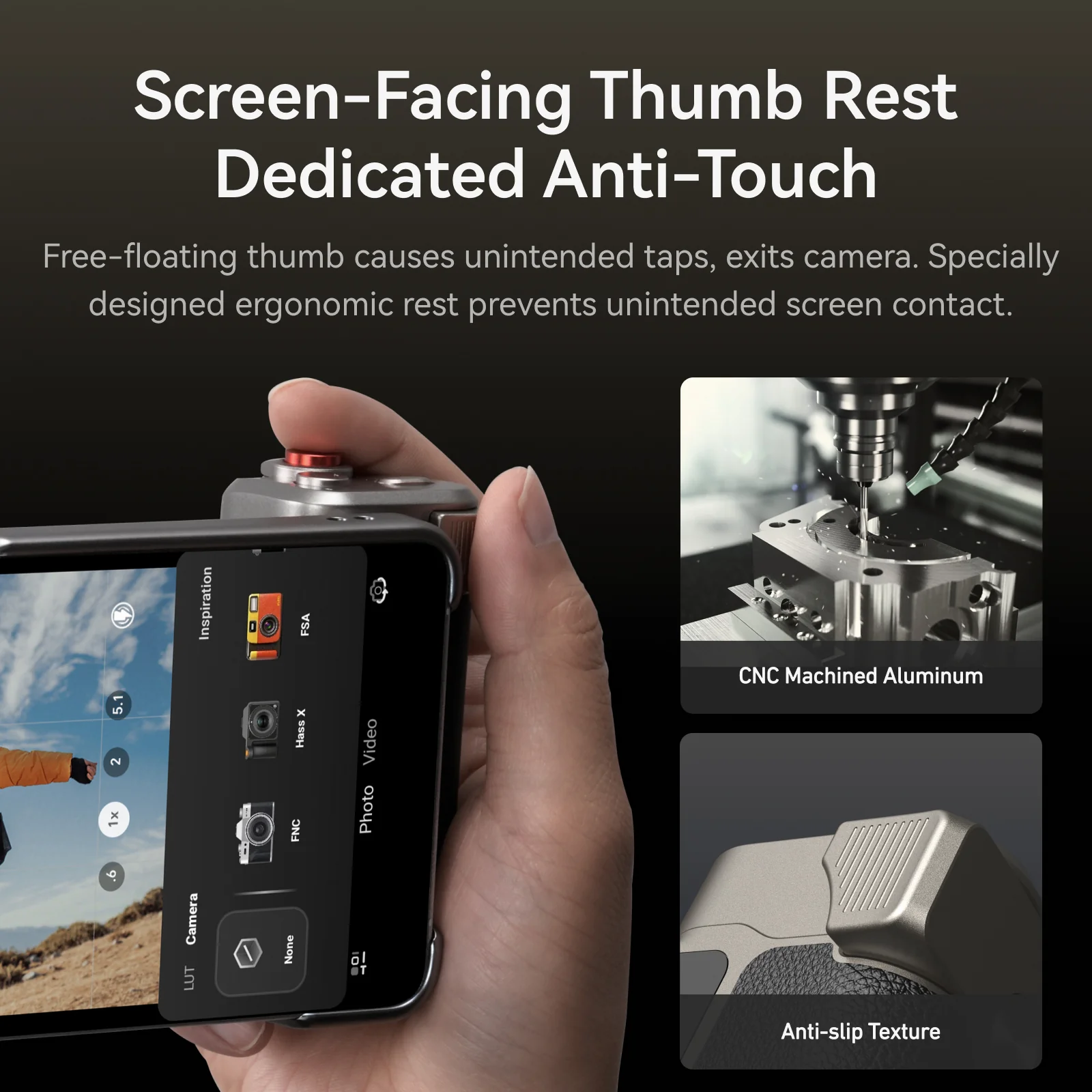
FNC · FSA · Polaroid · EOS
TELESIN’s AI Master Filters bring film-inspired looks to S26 Ultra in real time. Signature profiles include:
- FNC – punchy contrast and crisp color for street scenes and city nights.
- FSA – soft, nuanced tones inspired by classic color-negative film, ideal for travel and lifestyle.
- Polaroid – nostalgic, slightly faded tones with gentle contrast for retro moods and casual portraits.
- EOS – flattering, warm skin tones for people, portraits and vlogs.
Real-time ambient light sensing intelligently optimizes parameters, so each profile adapts to the scene rather than acting as a fixed overlay.
Dial in your favorite style once, then reproduce it shot after shot across both photos and video.
For detailed instructions, please refer to the user manual.
Tactile Control Dial for Precise Style Intensity
Tactile Control Dial – Precise Filter Density Adjustment
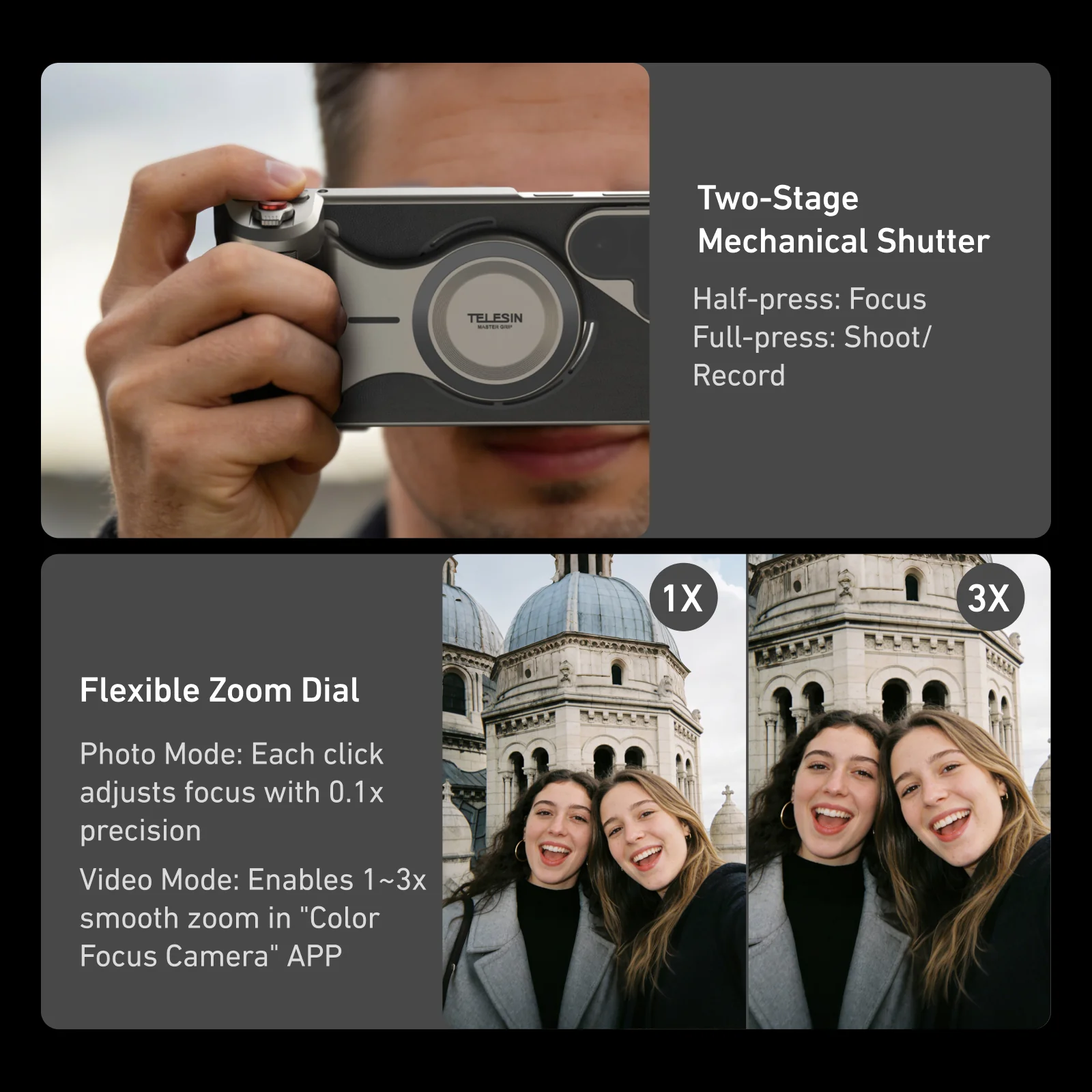
The precision-calibrated dial works together with TELESIN’s filter algorithms to give you fine, analog-feeling control over style intensity.
Each 5° rotation refines style intensity by about 1%.
Micro-steps let you find the perfect balance between clean realism and expressive mood.
Once you discover your favorite “look,” it’s easy to repeat the same intensity on your next shoot.
Instead of crude “weak / medium / strong” presets, you get smooth, repeatable adjustments under your fingertips.
3 Light Modes and Scroll Wheel Brightness Control
3 Modes and Scroll Wheel – Freely Adjust Brightness
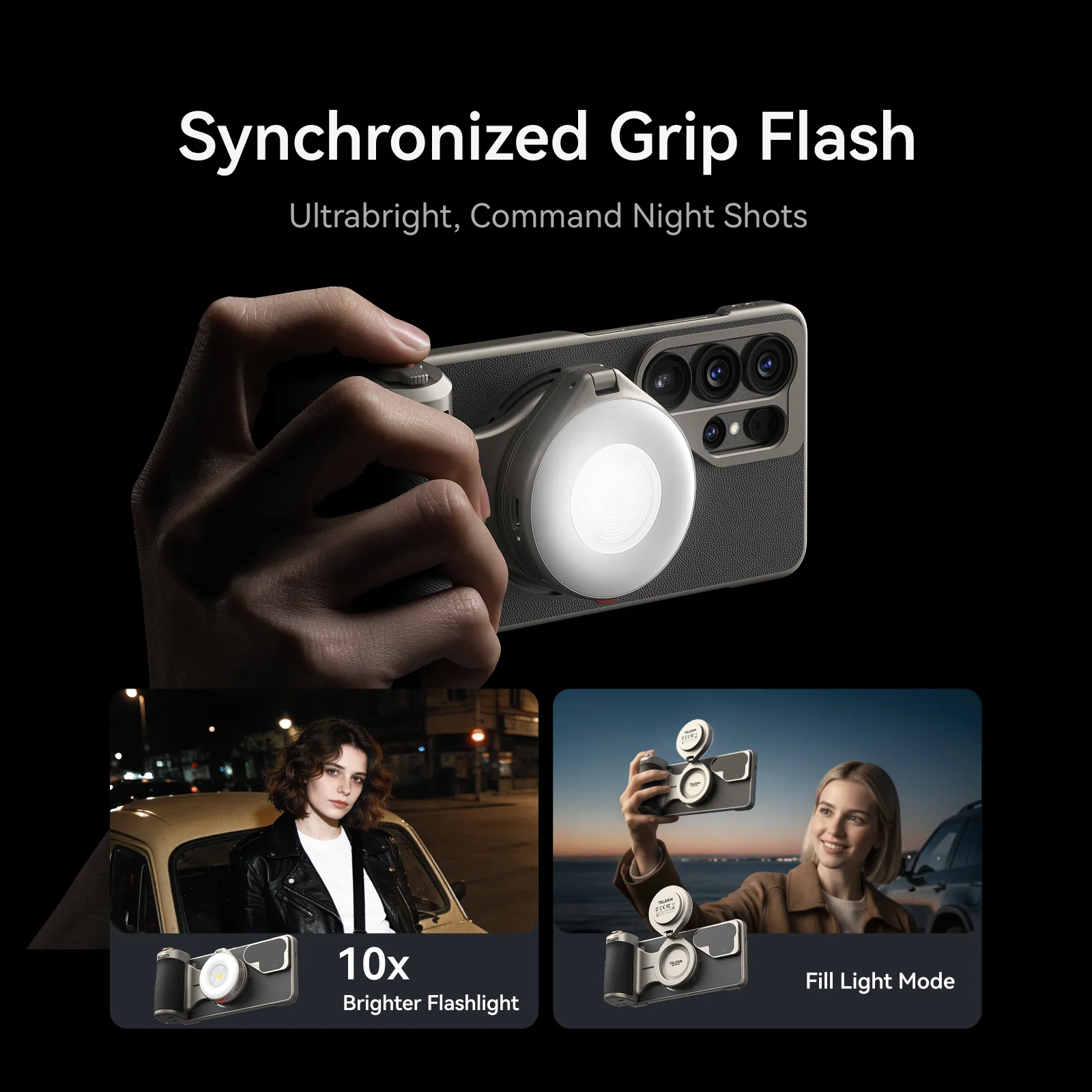
Built-in fill light modes:
- White – 6500K: Clean daylight tone for product shots, indoor scenes and crisp details.
- Natural – 4500K: Balanced, neutral light for everyday vlogs and mixed lighting.
- Warm – 2500K: Cozy amber tone for night streets, cafés and cinematic portraits.
Use the scroll wheel to freely adjust brightness in each mode, matching ambient conditions without harsh jumps.
You can gently lift shadows for a natural look or push intensity for a bold, stylized scene – all without digging into phone menus.
More Play Styles with Galaxy S26 Ultra
More Play Styles
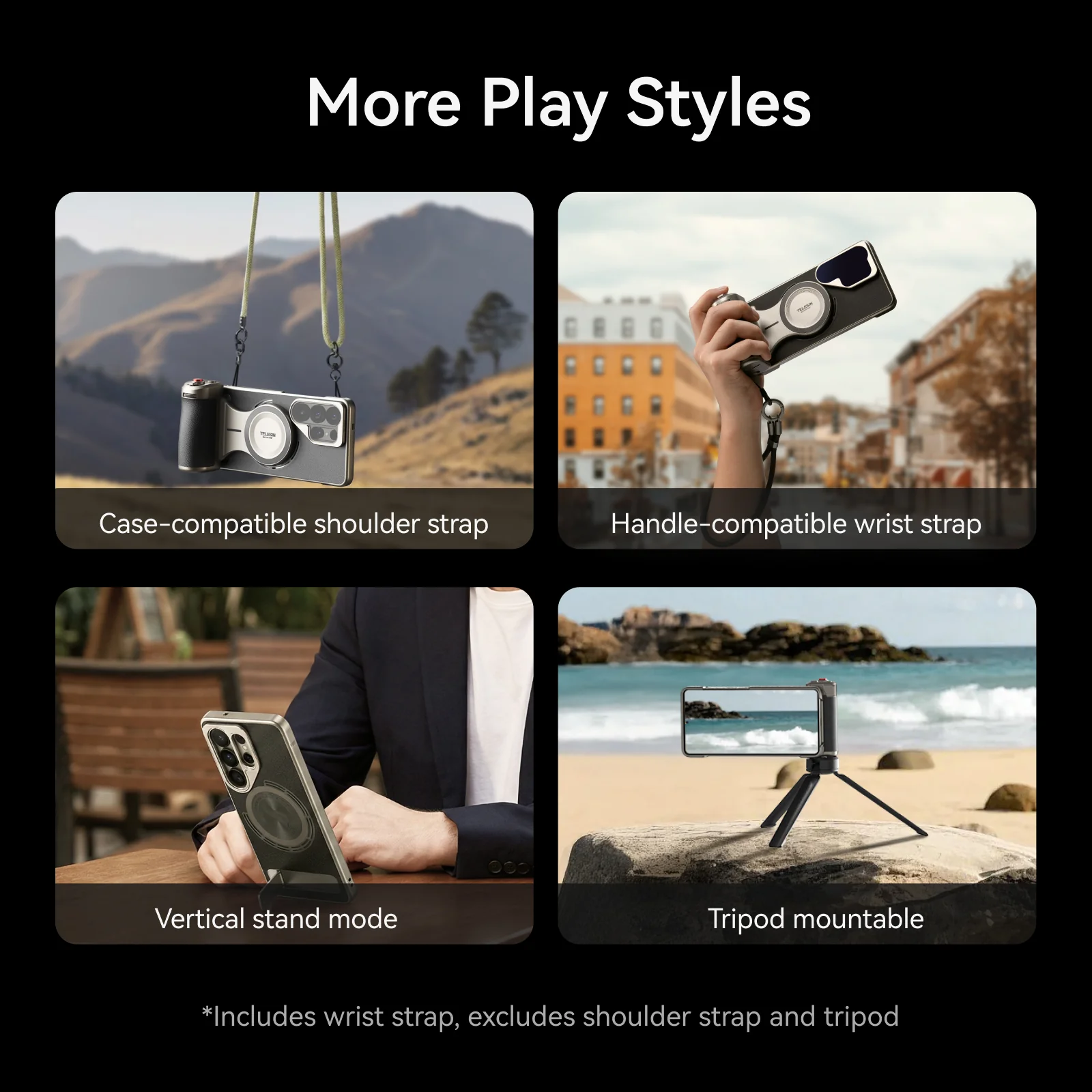
Master Grip is designed to adapt to how you actually shoot:
- Case-compatible shoulder strap – carry S26 Ultra securely at your side (with compatible strap).
- Handle-compatible wrist strap – protect your phone in crowded streets, travel and events.
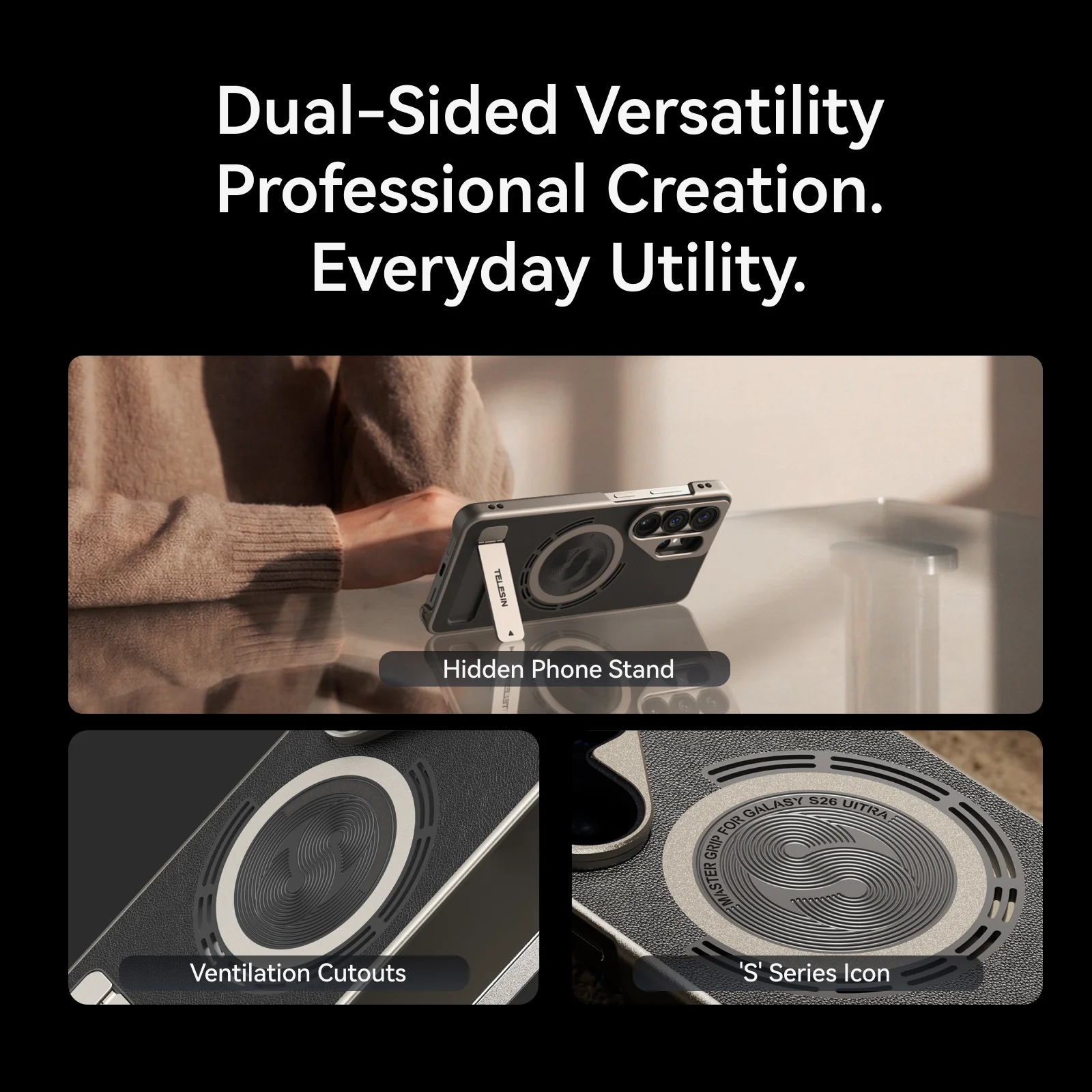
- Phone stand mode – set it on a desk for talking-head clips, live streams or hands-free viewing.
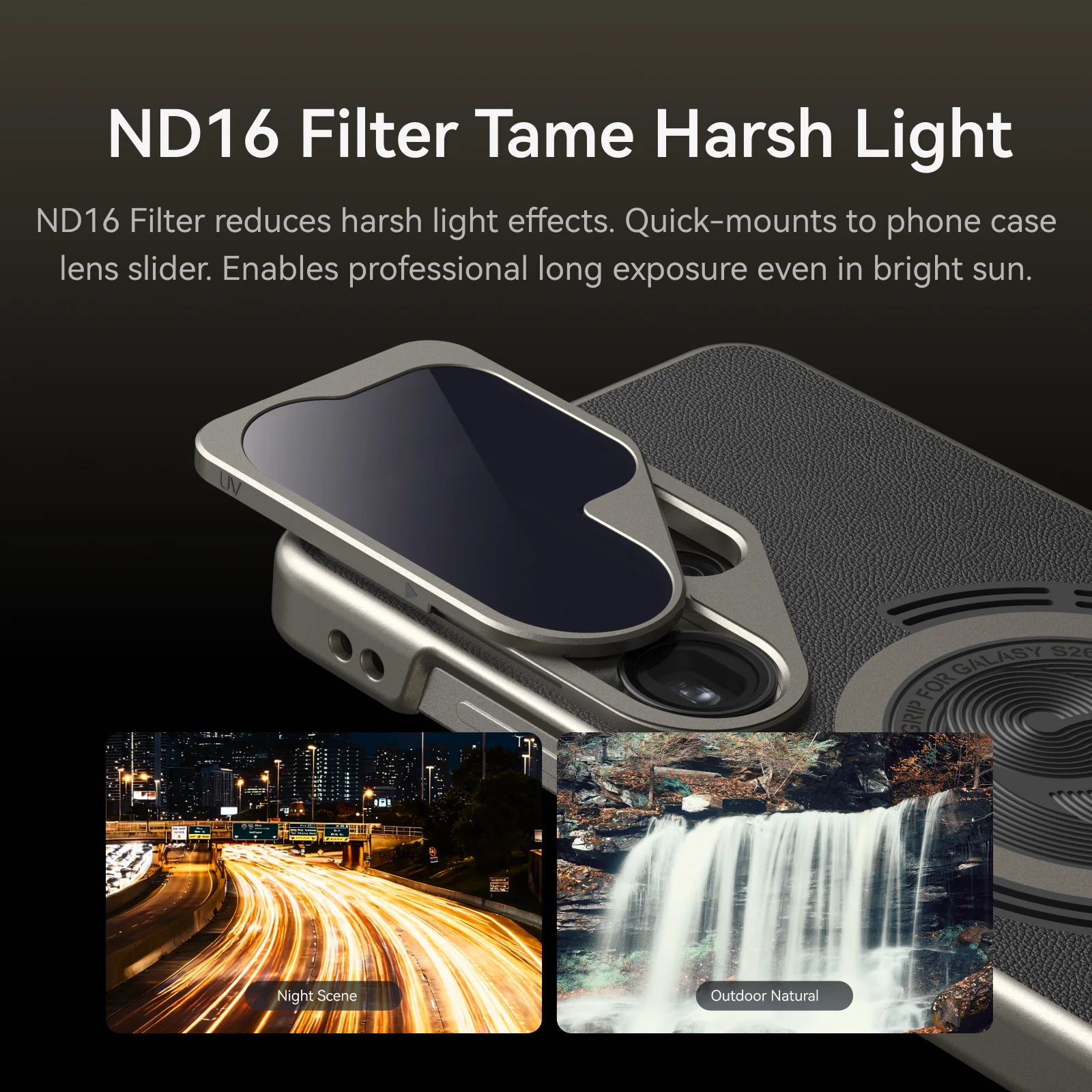
- Tripod-mountable base – attach to your favorite tripod for timelapses, night scenes, product videos and more.
Includes wrist strap, excludes shoulder strap and tripod.
From walking vlogs to static streams and long-exposure shots, one grip supports multiple shooting styles.
Why Creators Trust TELESIN Master Grip
TELESIN has years of experience in phone and action-camera gear for creators worldwide. Master Grip Kit for Galaxy S26 Ultra continues that design DNA:
- Creator-first ergonomics – a grip that feels natural for long shoots.
- Hardware–software ecosystem – Reef Color App plus dynamic OTA tuning for S26 Ultra.
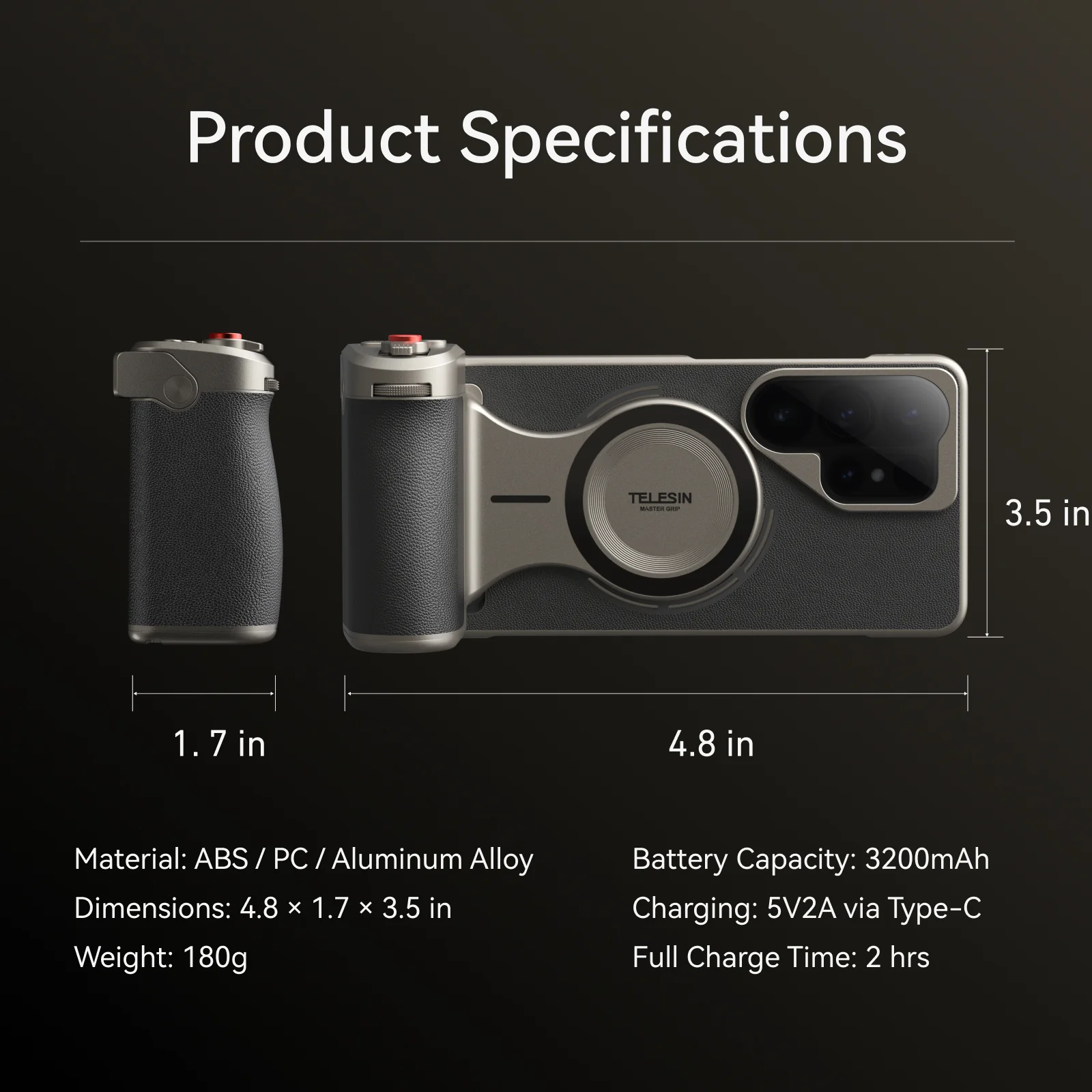
- Tested materials and construction – durable ABS, PC and aluminum alloy build for daily use.
- Official store purchase – backed by TELESIN warranty and support, not a one-off accessory with no roadmap.
If you’re ready to treat your Galaxy S26 Ultra like a dedicated camera system, Master Grip gives it the controls, stability and color science to match.
Original: $129.99
-70%$129.99
$39.00Product Information
Product Information
Shipping & Returns
Shipping & Returns
Description
TELESIN Master Grip for Galaxy S26 Ultra – Photography Camera Grip Kit with AI Filters & Fill Light
Ultra Specs, Ultra Creation
Turn your Galaxy S26 Ultra into a pro-feel camera.
TELESIN magsafe phone grip combines hardware–software fusion, AI film filters and tactile controls so creators can shoot more stable, more cinematic photos and videos – without switching to a heavy camera.
Why Your Galaxy S26 Ultra Still Needs a Photography Grip
Galaxy S26 Ultra already has a powerful camera system. But in real shooting, creators still face a few issues:
- The bare phone is slippery and unbalanced for long handheld sessions.
- Exposure and color tweaks hide in touch menus, slowing you down.
- Native color can look too digital or flat when you want film-like tones.
- Shooting vlogs or longer clips makes your hand and fingers fatigue quickly.
Master Grip Kit is built for S26 Ultra users who treat their phone as a real camera and want:
- More stability for handheld photos and video
- Faster control over exposure, filters and modes
- Consistent style straight out of camera
Hardware–Software Fusion Redefines S26 Ultra Imaging
Reef Color App x Master Grip
Hardware–Software Fusion Redefines S26 Imaging
Reef Color App bridges the stylistic gaps of the native camera with 8 Pro-grade filters and precision parametric controls. It links directly with the grip’s dial and buttons to unlock hardware potential via dynamic OTA tuning.
Instead of diving through menus:
- Use the dial to fine-tune exposure or filter strength in real time.
- Use customizable buttons to switch modes, filters or parameters instantly.
- Let dynamic OTA updates refine algorithms over time for Galaxy S26 Ultra.
The result is a joined-up imaging system: S26 Ultra hardware, Master Grip controls and Reef Color App working together to give you a recognizable look and smoother workflow.
Customizable Buttons Loved by Pros
Customizable Button – Beloved by Pros
An app-customizable Fn key and a precision control dial let you build your own pro workflow.
Bind any parameter to the dial and button, including:
- Exposure compensation
- Filter selection
- Filter effect intensity
- Shooting mode
- ISO
- Shutter speed
Set your layout once inside Reef Color App, then:
- Turn the dial to ride exposure as light changes around you.
- Tap the Fn key to flip between filters, modes or parameters – without taking your eyes off the scene.
It feels like a compact camera-control layout built around your Galaxy S26 Ultra.
AI Master Filters – Film Tones for Everyone
AI Master Filters – Film Tones for Everyone
FNC · FSA · Polaroid · EOS
TELESIN’s AI Master Filters bring film-inspired looks to S26 Ultra in real time. Signature profiles include:
- FNC – punchy contrast and crisp color for street scenes and city nights.
- FSA – soft, nuanced tones inspired by classic color-negative film, ideal for travel and lifestyle.
- Polaroid – nostalgic, slightly faded tones with gentle contrast for retro moods and casual portraits.
- EOS – flattering, warm skin tones for people, portraits and vlogs.
Real-time ambient light sensing intelligently optimizes parameters, so each profile adapts to the scene rather than acting as a fixed overlay.
Dial in your favorite style once, then reproduce it shot after shot across both photos and video.
For detailed instructions, please refer to the user manual.
Tactile Control Dial for Precise Style Intensity
Tactile Control Dial – Precise Filter Density Adjustment
The precision-calibrated dial works together with TELESIN’s filter algorithms to give you fine, analog-feeling control over style intensity.
Each 5° rotation refines style intensity by about 1%.
Micro-steps let you find the perfect balance between clean realism and expressive mood.
Once you discover your favorite “look,” it’s easy to repeat the same intensity on your next shoot.
Instead of crude “weak / medium / strong” presets, you get smooth, repeatable adjustments under your fingertips.
3 Light Modes and Scroll Wheel Brightness Control
3 Modes and Scroll Wheel – Freely Adjust Brightness
Built-in fill light modes:
- White – 6500K: Clean daylight tone for product shots, indoor scenes and crisp details.
- Natural – 4500K: Balanced, neutral light for everyday vlogs and mixed lighting.
- Warm – 2500K: Cozy amber tone for night streets, cafés and cinematic portraits.
Use the scroll wheel to freely adjust brightness in each mode, matching ambient conditions without harsh jumps.
You can gently lift shadows for a natural look or push intensity for a bold, stylized scene – all without digging into phone menus.
More Play Styles with Galaxy S26 Ultra
More Play Styles
Master Grip is designed to adapt to how you actually shoot:
- Case-compatible shoulder strap – carry S26 Ultra securely at your side (with compatible strap).
- Handle-compatible wrist strap – protect your phone in crowded streets, travel and events.
- Phone stand mode – set it on a desk for talking-head clips, live streams or hands-free viewing.
- Tripod-mountable base – attach to your favorite tripod for timelapses, night scenes, product videos and more.
Includes wrist strap, excludes shoulder strap and tripod.
From walking vlogs to static streams and long-exposure shots, one grip supports multiple shooting styles.
Why Creators Trust TELESIN Master Grip
TELESIN has years of experience in phone and action-camera gear for creators worldwide. Master Grip Kit for Galaxy S26 Ultra continues that design DNA:
- Creator-first ergonomics – a grip that feels natural for long shoots.
- Hardware–software ecosystem – Reef Color App plus dynamic OTA tuning for S26 Ultra.
- Tested materials and construction – durable ABS, PC and aluminum alloy build for daily use.
- Official store purchase – backed by TELESIN warranty and support, not a one-off accessory with no roadmap.
If you’re ready to treat your Galaxy S26 Ultra like a dedicated camera system, Master Grip gives it the controls, stability and color science to match.